Thu, 17 May 2012 12:13pm. Welcome, Guest


Frequently Asked Questions

  1. What is Garuda Indonesia Web Check-in?
  2. What are the benefits?
  3. How to access Garuda Indonesia Web Check-in?
  4. Who qualifies to do Garuda Indonesia Web Check-in?
  5. When can I use Garuda Indonesia Web Check-in?
  6. Who doesn't qualify to do Garuda Indonesia Web Check-in?
  7. If I have a connecting flight/same day outgoing & returning flight, are all flight routes eligible to check-in through Garuda Indonesia Web Check-in?
  8. What do I need to do Garuda Indonesia Web Check in?
  9. What should I prepare before check-in using Garuda Indonesia Web Check in?
  10. What is a Booking Code?
  11. What is the differences between PNR (Passenger Name Record) code and Booking Code?
  12. What is ticket number?
  13. Can groups use Garuda Indonesia Web Check-in?
  14. Can I change my seat assignment after Web Check-in is completed?
  15. What will I get if I have finished Web Check-in process?
  16. How to print my Boarding Pass?
  17. What are the steps to print the Boarding Pass?
  18. Can I fold the Boarding Pass?
  19. What should I do if I lose my Boarding Pass?
  20. What should I do if I lose my Boarding Pass in airport?
  21. How to reprint my Web Check-in Receipt?
  22. Do I still have to pay airport tax in airport?
  23. When I have done Web Check-in, do I have to report at the Airport check-in counter?
  24. When should I be in airport?
  25. Can I cancel my Web Check-in during process of Garuda Indonesia Web Check-in?
  26. What should I do if I want to cancel my Web Check-in?
  27. Can I check-in my baggage if I use Web Check-in?

What is Garuda Indonesia Web Check-in? top^

GGaruda Indonesia Web Check-in is an alternative check in provided by Garuda Indonesia for Passenger to simplify check in via website.

What are the benefits? top^

Passengers who fly with Garuda Indonesia will share the benefits:

  • Passengers are able to choose the available seats at the earlier stage.
  • Passengers will be able to check-in in simply and easily.
  • Enriched ways of check-in for Passengers.

How to access Garuda Indonesia Web Check-in? top^

Just visit www.garuda-indonesia.com and select Web Check-in menu

Who qualifies to do Garuda Indonesia Web Check-in? top^

Passengers with domestic destination confirmed booking reservation at all class ticket.
*for further information please refer to Condition of Use of Garuda Indonesia Web Check-in.

When can I use Garuda Indonesia Web Check-in? top^

Garuda Indonesia Web Check-in available within 24 hours until 4 hours before departure time.

Who doesn't qualify to do Garuda Indonesia Web Check-in? top^

  • Passenger in pregnant condition (Passenger must check-in at Check-in Counter).
  • Passenger who brings baby, require a wheelchair, stretcher case, Unaccompanied Minor, or other special handling and assistance.
  • Children aged less than 12 years old who travel alone (accompanied without any adults over 17 years).

If I have a connecting flight/same day outgoing & returning flight, are all flight routes eligible to check-in through Garuda Indonesia Web Check-in? top^

Yes, but Web Check-in only does check-in sequentially

What do I need to do Garuda Indonesia Web Check in? top^

All you need are a computer connected to Internet, a printer, and pdf reader.

What should I prepare before check-in using Garuda Indonesia Web Check in? top^

Please have your e-Ticket information available, such as ticket number and PNR (Passenger Name Record)/Booking Code.

What is a Booking Code? top^

It is a 6 alphanumeric character given during booking and also printed on your e-Ticket, example BOOKING CODE: PT31S7.

What is the differences between PNR (Passenger Name Record) code and Booking Code? top^

There is no difference between them, in other word PNR Code is the same as Booking Code.

What is ticket number? top^

It is a 13 digit numeric number usually stated on your e-Ticket, example; e-ticket number: 1266845873691.

Can groups use Garuda Indonesia Web Check-in? top^

No, can't. Groups must check-n at Check-in Counter

Can I change my seat assignment after Web Check-in is completed? top^

No, you can't.

What will I get if I have finished Web Check-in process? top^

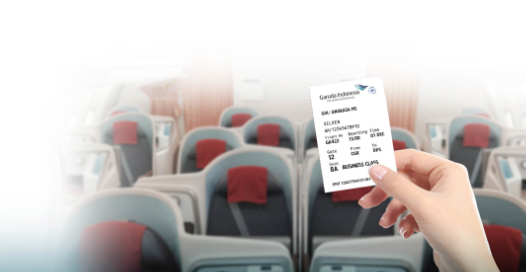
You will get your Boarding Pass in a form of file that you must download and print while Web Check-in is completed.

How to print my Boarding Pass? top^

Boarding Pass can be printed in a page of A4 HVS letter white color.

What are the steps to print the Boarding Pass? top^

First, you need to download the Boarding Pass.

Second, you just need to click the printer icon on the Adobe Acrobat Reader after you open the file first.

Can I fold the Boarding Pass? top^

Boarding Pass can't be folded, dirty, or wet.

What should I do if I lose my Boarding Pass? top^

Passengers can reprint the Boarding Pass.

What should I do if I lose my Boarding Pass in airport? top^

Passenger must report to Garuda Indonesia Officer in Airport and reprint your Boarding Pass using your Booking Code.

How to reprint my Web Check-in Receipt? top^

Either through printing saved copy of the PDF or by re-download, and reprint the Boarding Pass.

Do I still have to pay airport tax in airport? top^

Yes, Passengers have to pay airport tax in airport.

When I have done Web Check-in, do I have to report at the Airport check-in counter? top^

  • Without baggage Passengers could go directly to Boarding Gate and must report to Boarding Gate Officer not less than 45 minutes before departure time as well as pay Airport Tax/Passenger Service Charge.
  • Passengers with baggage must report to Baggage Drop Check-in Counter not less than 45 minutes before departure time as well as pay Airport Tax/Passenger Service Charge.

When should I be in airport? top^

Passenger must have been arrived in airport 1 hour before departure time for document verification and check-in your baggage at Check-in Counter and must report to Check-in counter for Passenger with baggage/Boarding Gate Officer for without baggage Passenger not less than 45 minutes before departure time.


Passengers are encouraged to arrive early at the check-in counter to ensure you have enough time for travel document verification and to exchange your Web Check-in receipt with boarding pass, baggage check-in, security, and other airport formalities.

Can I cancel my Web Check-in during process of Garuda Indonesia Web Check-in? top^

Check-in can be cancelled before you reach the Confirmation Details page. Once you reached confirmation details page, even if you close the browser, you are already considered as checked-in status. Passengers must report to Garuda Indonesia Call Center at 0-804-1-807-807 (Indonesia) or +62-21-23519999 if you wish to cancel your check-in.

What should I do if I want to cancel my Web Check-in? top^

Passengers must contact Garuda Indonesia Call Center at 0-804-1-807-807 (Indonesia) or +62-21-23519999.

Can I check-in my baggage if I use Web Check-in? top^

No, you can't. You must check in your baggage at Baggage Drop Check in Counter.